WordPress is the most popular way to build a website. According to W3Techs, it runs roughly 4 in 10 websites on the internet. That popularity is exactly why so many WordPress sites end up slow, insecure or not bringing a single enquiry: it is easy to start, and just as easy to set up badly.
I'm Anson PJ, a digital marketer in Thrissur. I build WordPress websites and landing pages focused on clarity, SEO and enquiries. Here is everything I'd want a business owner to know before spending money on a WordPress website.
1. Start with the goal, not the design
A website is a business tool. Before choosing colours or themes, answer one question: what should a visitor do on this website?
- Get enquiries: service businesses, clinics, consultants, real estate.
- Sell online: e-commerce stores that need product pages, cart and payments.
- Build trust: portfolio or company profile websites that show work and reviews.
- Get bookings: salons, events, travel and appointments.
The goal decides everything that follows: the pages you need, the call-to-action buttons, the plugins and even the hosting.
2. WordPress.org vs WordPress.com
These two are often confused, but they are different products (official comparison):
| Factor | WordPress.org (self-hosted) | WordPress.com (hosted) |
|---|---|---|
| Software | Free, open-source; you install it on your own hosting | Hosted service run by Automattic |
| Hosting | You choose and pay for hosting | Included in the plan |
| Themes & plugins | Full freedom to install any | Depends on your plan |
| Control | Full control over files, code and data | Less technical work, less control |
| Best for | Business websites that need flexibility, SEO and growth | Simple blogs and personal sites |
Most business websites, including the ones built with Elementor, use self-hosted WordPress.org.
3. Choosing a domain name
- Keep it short, easy to spell and easy to say on a phone call.
- Use your brand name; avoid hyphens and numbers.
- .com is the most recognised; .in works well for India-focused businesses.
- Register the domain in your own name and email, not your developer's. You should always own it.
- Turn on auto-renewal so the domain never expires by accident.
4. Hosting and SSL: the foundation
Cheap hosting is the most common reason a WordPress website feels slow. When comparing hosting, check:
- Server speed and uptime, and a server location close to your customers.
- Support for current PHP and database versions listed in the WordPress requirements.
- Free SSL (HTTPS), for example via Let's Encrypt. Browsers mark non-HTTPS sites as "Not secure".
- Automatic daily backups and easy restore.
- Responsive support when something breaks.
5. Theme and page builder
The theme controls how your site looks; a page builder like Elementor lets you design pages visually. A few rules:
- Choose a lightweight, well-maintained theme with recent updates and good reviews.
- Avoid "do-everything" themes packed with sliders and bundled plugins you'll never use.
- Never use nulled (pirated) themes or plugins. They often contain malware.
- Keep the design consistent: one font family, a clear colour system and readable text sizes.
6. Plugins: less is more
Plugins add features, but every plugin adds code to load and maintain. Install only what you need from the official plugin directory or trusted developers. A typical business site needs:
- SEO plugin (such as Rank Math or Yoast) for titles, meta and sitemaps.
- Caching / performance plugin for speed.
- Security plugin and a firewall.
- Backup plugin, if your host doesn't provide backups.
- Forms for enquiries, connected to email or a CRM.
Check each plugin's last update date and active installs, and delete plugins you are not using.
7. Speed and Core Web Vitals
A slow website loses visitors and wastes ad budget. Google measures real-user experience through Core Web Vitals: loading, responsiveness and visual stability. To keep WordPress fast:
- Compress images and use modern formats like WebP; set width and height on images.
- Use caching and lazy-load images below the fold.
- Limit heavy animations, sliders, background videos and blur effects.
- Test regularly on PageSpeed Insights, especially the mobile score.
8. Design mobile-first
Most of your visitors will come from a phone, and Google uses the mobile version of your site for mobile-first indexing. Design for small screens first: readable text, thumb-friendly buttons, no horizontal scrolling, and click-to-call or WhatsApp buttons that are easy to tap.
9. SEO basics before launch
SEO is much easier to build in from the start than to fix later. Follow Google's SEO Starter Guide and set up:
- Clean permalinks like
/services/seo/instead of/?p=123. - A unique title and meta description for every page, with one clear H1.
- Alt text on images and descriptive internal links between pages.
- An XML sitemap submitted to Google Search Console.
- Schema markup (organisation, local business, FAQs) so Google and AI search tools understand your business.
- Make sure "Discourage search engines from indexing this site" is unchecked at launch.
If local customers matter, also set up and optimise your Google Business Profile. More on that in my SEO and local SEO services.
10. Content and the conversion path
Design gets attention; content and a clear next step get enquiries. Prepare before the build:
- Clear service descriptions written for your customer, not for yourself.
- Real photos of your work, team and location.
- Reviews and proof, such as results, certifications and client logos.
- One main call-to-action on every page: WhatsApp, call button or enquiry form.
- Contact details, location and opening hours that match your Google Business Profile.
11. Tracking and analytics
If you can't measure it, you can't improve it. Before launch, connect Google Analytics 4 and Search Console, and track key actions as conversions: form submissions, WhatsApp clicks and call clicks. This is essential if you plan to run Google Ads or Meta Ads to the website later.
12. Security, backups and updates
- Use strong passwords and two-factor login; never use "admin" as a username.
- Keep WordPress core, themes and plugins updated.
- Take regular backups stored off the server, and test that they restore.
- Give admin access only to people who need it.
- Follow the official WordPress hardening guide.
13. Budget for more than the build
A WordPress website has ongoing costs. Plan your budget for:
- Domain renewal every year.
- Hosting, monthly or yearly.
- Premium themes or plugins, if used (often yearly licences).
- Maintenance: updates, backups, security checks and small content changes.
- Marketing: SEO, content and ads to actually bring visitors.
A website without traffic is like a shop on an empty street. Plan how people will find it.
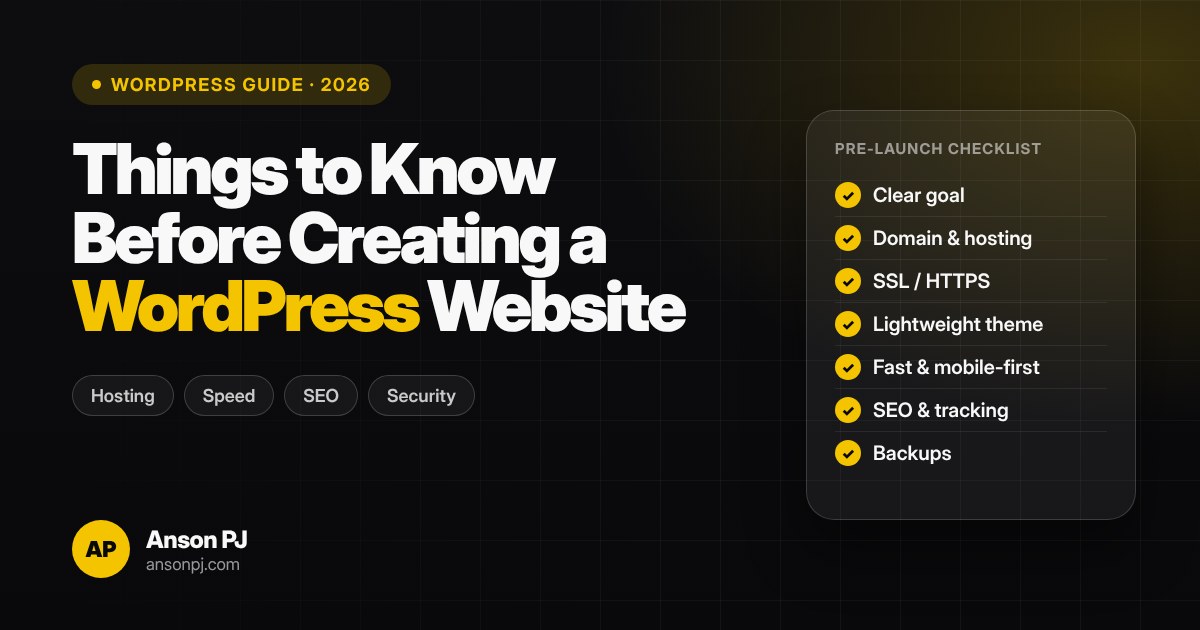
14. WordPress pre-launch checklist
- Test on mobile and desktop. Check every page, menu and button on real phones.
- Test every form and button. Make sure enquiries reach the right email or WhatsApp.
- Check speed. Run PageSpeed Insights and fix the biggest issues first.
- Check SEO. Titles, meta descriptions, alt text, sitemap and indexing turned on.
- Connect tracking. GA4, Search Console and conversion events working.
- Secure and back up. SSL active, backups scheduled, admin access limited.
15. DIY or hire a professional?
You can build a simple WordPress site yourself. Hire a professional if the website needs to bring business: rank on Google, load fast, track enquiries and work with your ads. A good developer should explain the plan clearly, give you ownership of your domain, hosting and logins, and show real work.
Here's what clients have said about websites I've built:
★★★★★"I wanted to create a website that works smoothly on both mobile and desktop."
Ignatious PA · Google review
★★★★★"I do AutoCAD drafting work and now I have a proper place to showcase everything."
Sandra Ayyappan · Google review
See more on my works and the reviews section. If your website also needs marketing, read about choosing the best digital marketing strategist in Thrissur, or book a focused digital marketing consultation. More guides on trending posts.
Frequently asked questions
Is WordPress good for a business website?
Yes. WordPress is the most widely used content management system, running roughly 4 in 10 websites according to W3Techs. It is flexible, SEO-friendly and easy to update, but it needs good hosting, a lightweight setup and regular maintenance to stay fast and secure.
What is the difference between WordPress.org and WordPress.com?
WordPress.org is the free, open-source software you install on your own hosting, giving you full control over themes, plugins and code. WordPress.com is a hosted service run by Automattic, where hosting is included but some features depend on the plan you choose.
What do I need before building a WordPress website?
A clear goal for the website, a domain name, reliable hosting with SSL, your content (services, photos, contact details), and a plan for how visitors will contact you, such as WhatsApp, call buttons or forms.
How many plugins should a WordPress website have?
There is no fixed number. Install only the plugins you actually need, choose well-maintained ones, and remove anything unused. Too many heavy plugins slow the site down and increase security risk.
Is WordPress SEO-friendly?
Yes, but only if it is set up correctly: clean permalinks, proper titles and meta descriptions, a fast mobile-friendly design, an XML sitemap submitted to Google Search Console, and helpful content.
Can Anson PJ build a WordPress website for my business?
Yes. Anson PJ builds fast, responsive WordPress websites and landing pages focused on clarity, SEO and enquiries, for businesses in Thrissur and across Kerala. Share your requirement on WhatsApp at +91 94463 26717.